 Getting started
Open a fitted table or a linked chair to see the current game. Sitting at a free chair takes a seat; opening the table without a seat lets you watch.
Your turn
Section titled “Your turn”The name boxes highlight the active player. Pick a piece and a destination, play a card, or use the game’s turn buttons. Only the player whose turn it is can make a move.
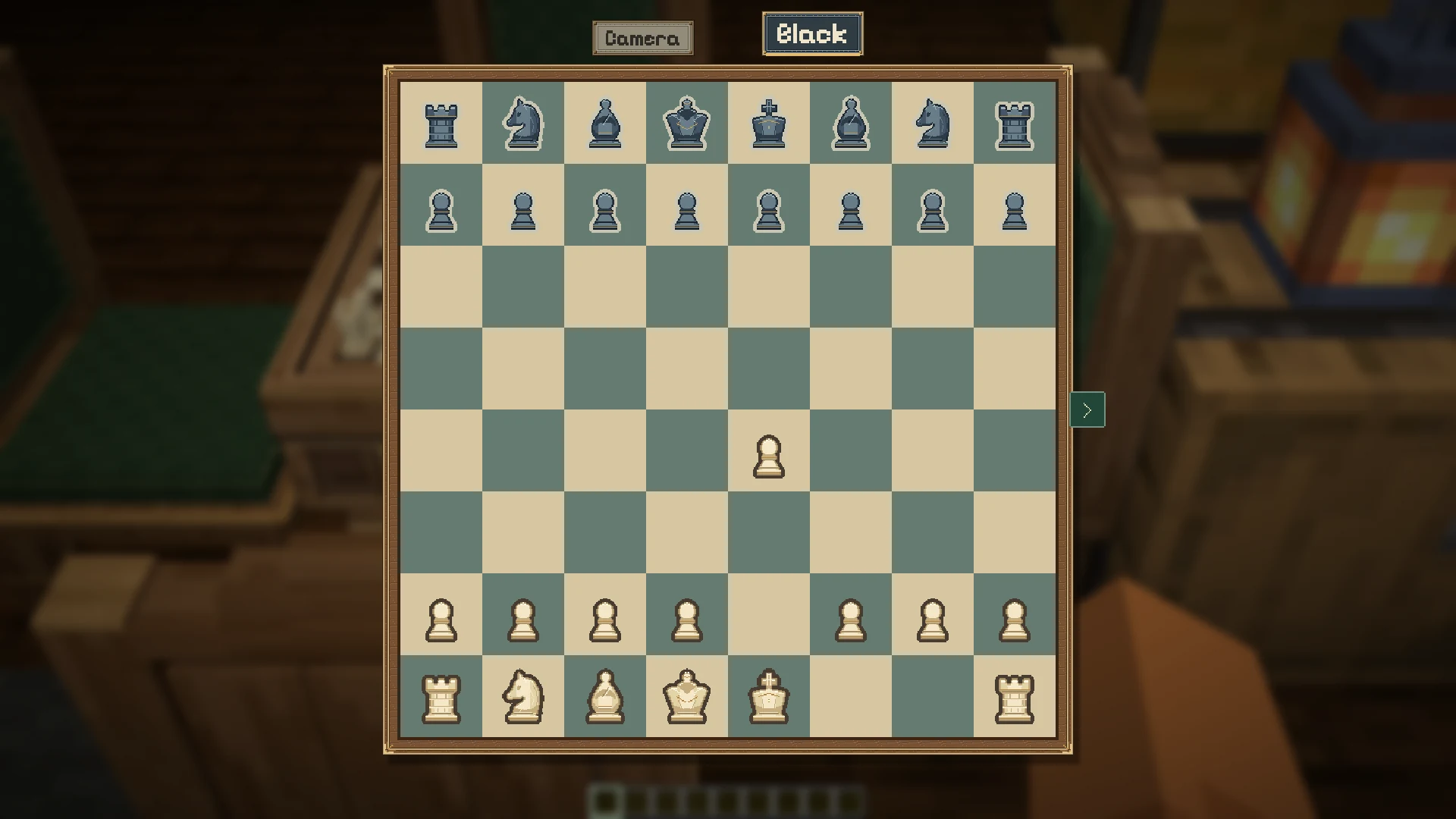
The side tray
Section titled “The side tray”The arrow at the right opens the control tray. It contains How to play, seat controls, Play alone and actions such as starting a new game. The controls you need to finish your current turn stay available outside the tray.
Table settings
Section titled “Table settings”Open the gear tab to slide out the wooden settings panel on the left. Any seated player can change the options before the first move and before anyone stakes items. Changing a setting deals a fresh game. Once play begins the panel is locked; a stake locks it with Stakes are down.
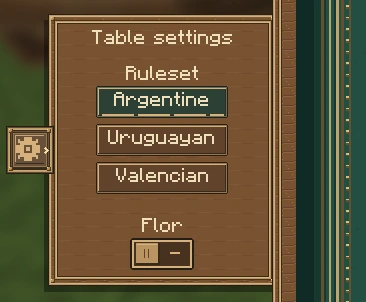
The table remembers each game’s last settings separately when you change boards. A rematch keeps the current game’s settings, and a saved game keeps its own rules.
| Game | Options (default first) |
|---|---|
| Truco | Argentine, Uruguayan or Valencian rules |
| Truco — Argentine | Flor off or on; match to 30 |
| Truco — Uruguayan | Flor on or off; match to 30 or 40 |
| Truco — Valencian | Coto (first to two 24-point camas) or a single cama; no flor |
| Klondike Solitaire | Draw one or three cards |
| Spades | Target 500 or 300 points |
| Gin Rummy | Target 100 or 250 points |
| Farkle | Target 10,000 or 5,000 points |
| Go (all board sizes) | Komi 7.5, 6.5 or 5.5 |
| Dominoes | Automatic target, 150 or 61 points |
Automatic Dominoes uses 100 for two players and 61 for three or four. Truco shows only the options for the selected ruleset. The other games have no table settings.
Learn a game
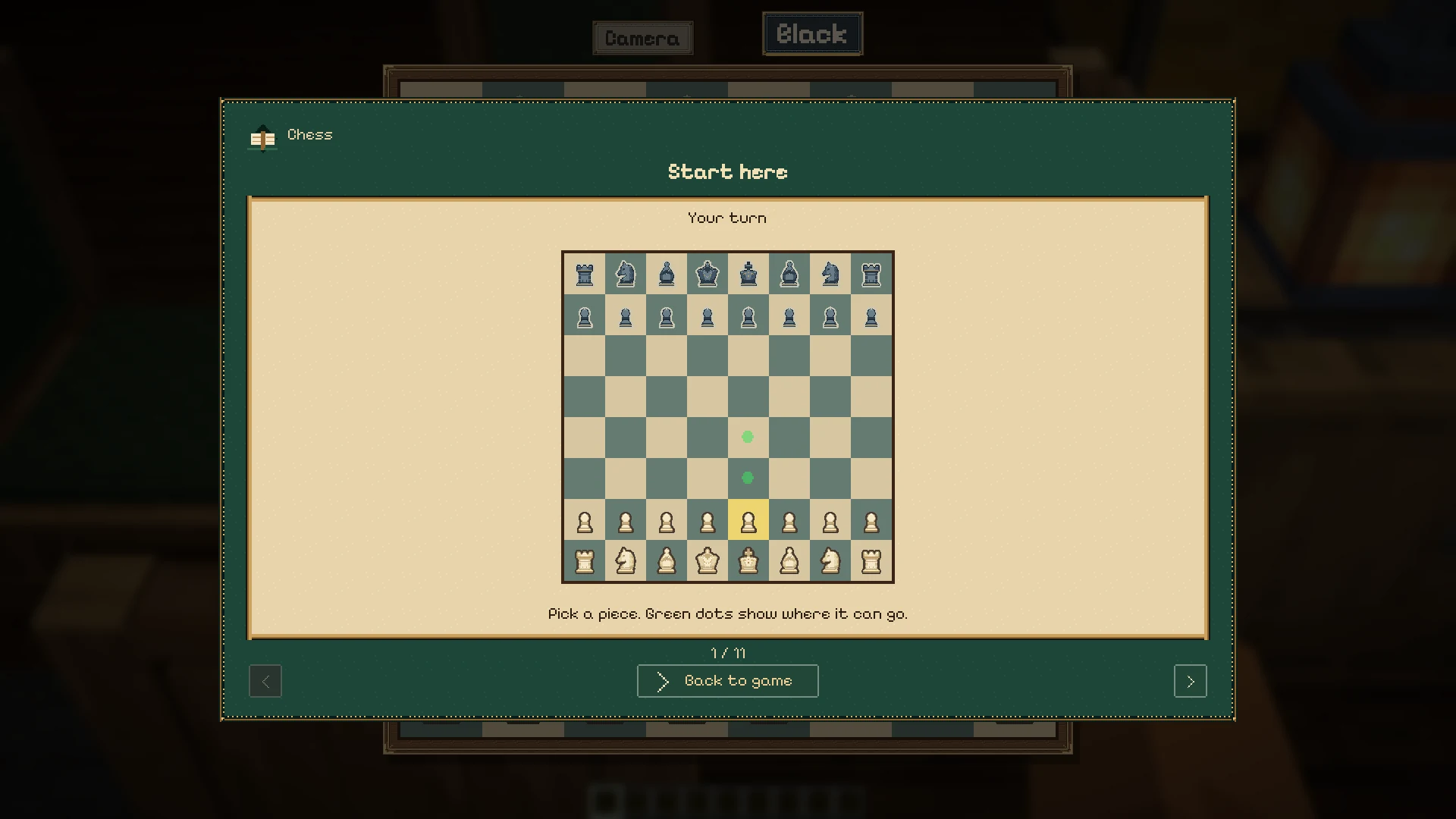
Section titled “Learn a game”Choose How to play for illustrated lessons about moves and scoring. The guide opens over the current game; Back to game returns you to it.
After a game
Section titled “After a game”The result panel offers Rematch and View board. Rematch begins another game on the same board for the seated players. View board lets you inspect the finished position.
Watching
Section titled “Watching”Spectators can see the public position on the table and open the screen. Private hands stay concealed. See seats and private hands for who controls each view.