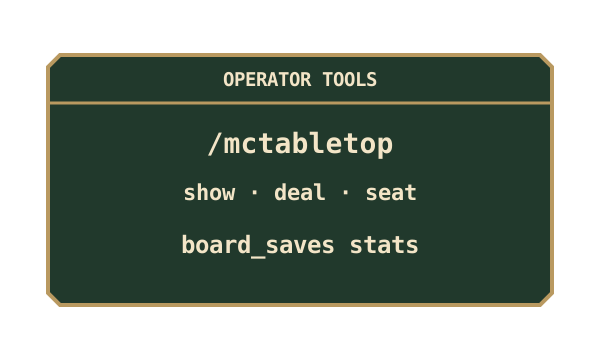
 For server owners
Normal games are played at tables. These commands require operator permission level 2 and are useful for inspecting or setting up a table. The coordinates point to a table’s block entity; for a large table, use its root position.
Inspect a table
Section titled “Inspect a table”/mctabletop show <x> <y> <z> prints the game’s ID, move count and encoded state. Treat this as private operator information: an encoded state can include concealed hands.
Stand in the same dimension as the table and use its block coordinates. A large table stores the game at its centre/root block. The target chunk must already be loaded; these commands do not load a distant table for you.
For example, /mctabletop show 100 64 200 inspects the table at that position in the command source’s current dimension.
Set up a position
Section titled “Set up a position”| Command | What it does |
|---|---|
/mctabletop deal <x> <y> <z> <game> <seed> |
Starts the selected game using the supplied deterministic seed. |
/mctabletop position <x> <y> <z> <encoded state> |
Replaces the table’s position using an encoding accepted by its current game. |
/mctabletop seat <x> <y> <z> <1-4> <player> |
Assigns the named player to that seat. |
/mctabletop solo <x> <y> <z> <2-4> |
Enables solo control for the calling, seated player when the table is otherwise theirs alone. |
These tools can overwrite or change an active match. Use a separate test table for demonstrations rather than replacing players’ games. Moves afterwards still go through server validation.
deal uses the game’s internal ID, such as chess, crazy_eights or go_13; command completion suggests the available IDs. On a physical table, the game must match its installed board and table size. To change an installed game’s type, remove its board and fit the desired one.
seat targets an online player and a free, valid seat. It does not override an occupied seat or a solo table’s restrictions. The solo command needs an in-game player as its caller, so it cannot be used directly from the dedicated-server console.
Saved board records
Section titled “Saved board records”Use saved-board maintenance for records associated with removed board items. It is separate from replacing a position on a fitted table.
Reproduce a deal or position
Section titled “Reproduce a deal or position”A deterministic seed repeats the same deal when the game and player count also match. Seeded deals are useful for testing a specific scenario; they are not an extra randomisation setting for players.
position takes the rest of the command line as the encoded state for the table’s current game. A Chess position uses FEN. Other games use their own encodings; a position from another game is refused. A successful replacement clears the last-move marks and makes the table count as already in play, closing new item-stake contributions.
Dimension and chunk diagnostics
Section titled “Dimension and chunk diagnostics”From a console or a different dimension, use Minecraft’s execute in <dimension> run ... with the relevant /mctabletop subcommand. Coordinates alone do not select a dimension.
/mctabletop chunkprobe <chunk-x> <chunk-z> reports whether that chunk is resident in the command source’s dimension. These are chunk coordinates, not table block coordinates. A chunk is sixteen blocks wide: block position 160, 32 lies in chunk 10, 2. The probe does not force-load it.
Why a setup command is refused
Section titled “Why a setup command is refused”A table can reject an operation while its board is open or its frame is incomplete. deal also checks game compatibility and available seats. position checks that the current game’s parser accepts the complete state. Fix the reported condition rather than attempting to bypass it.